See what needs a release
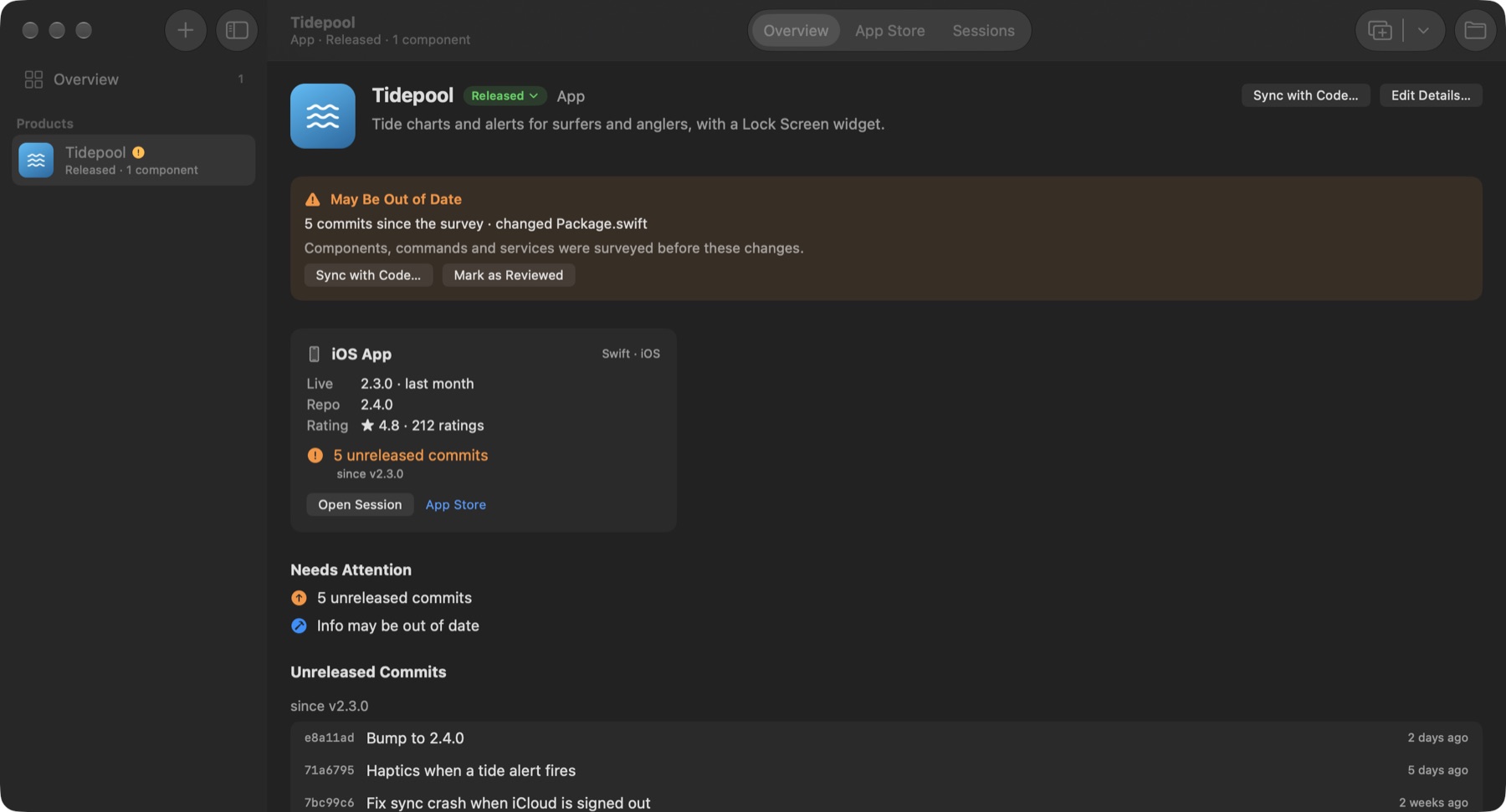
Shipdeck reads git and the stores on its own, without AI: the version people have, the commits since then, files not yet committed or pushed. Each product lands in one of four groups, with the reason written out.
 Shipdeck
Alpha
Shipdeck
Alpha
Shipdeck is a Mac app for developers who run several apps, games and websites on their own. It shows what changed in each repo, what is waiting for a release and what the App Store says, so nothing quietly falls behind. Built on Claude Code, which reads your repos and runs in Shipdeck's sessions.
Download for Mac Free during the alpha. For macOS 15 or later, and works with Claude Code only for now.
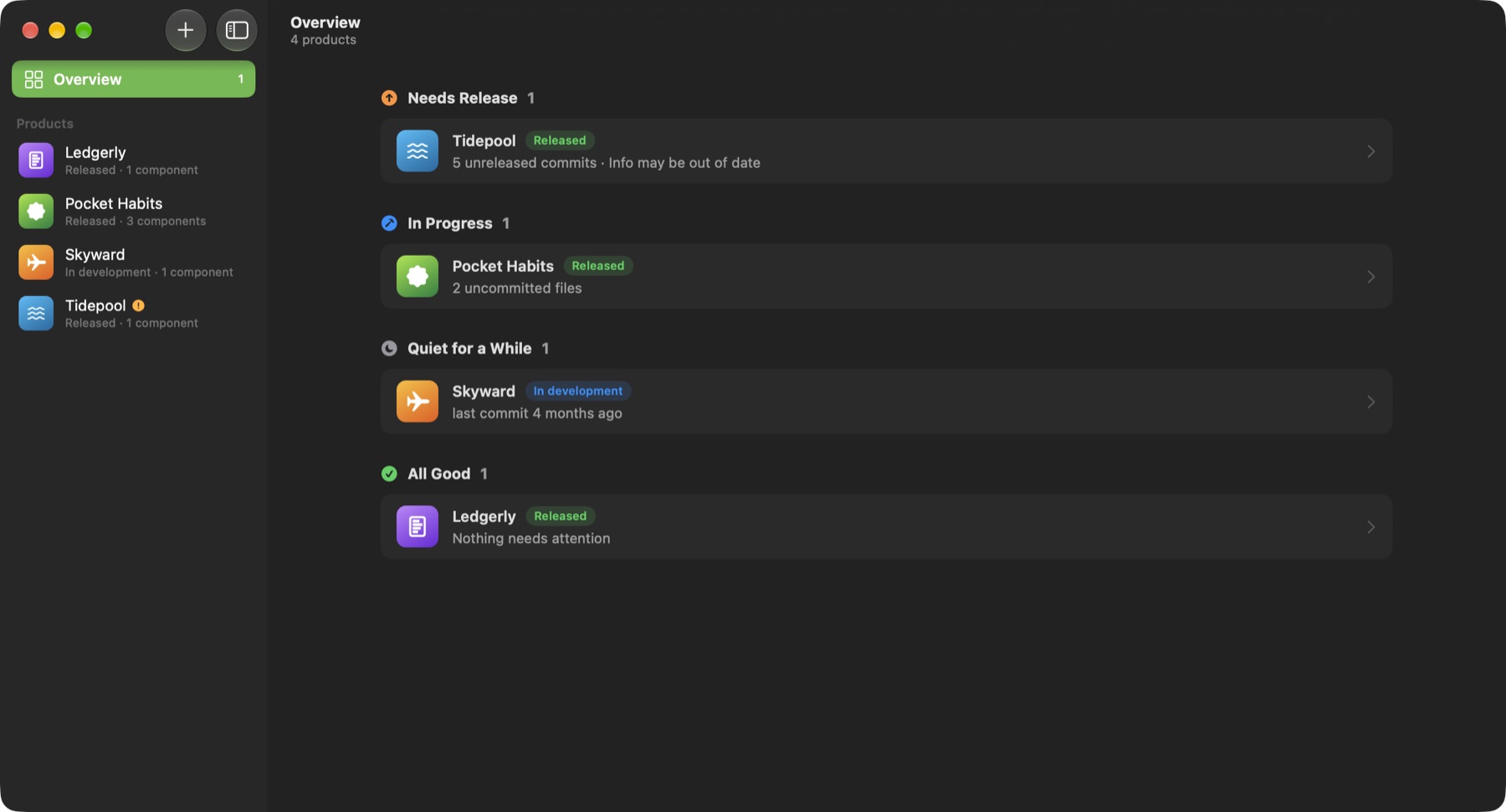
Shipdeck reads git and the stores on its own, without AI: the version people have, the commits since then, files not yet committed or pushed. Each product lands in one of four groups, with the reason written out.
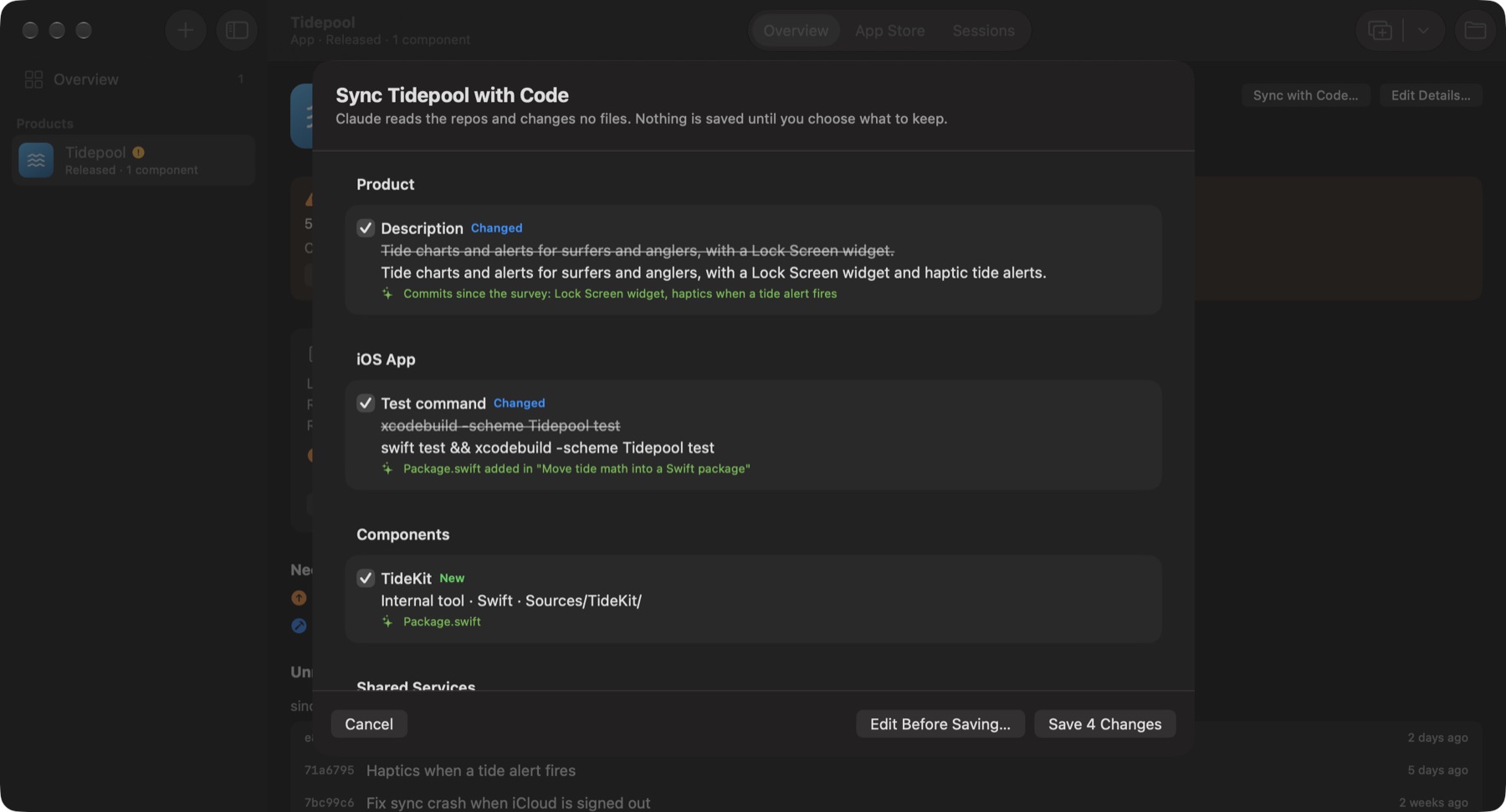
Pick a repo and Claude Code splits it into components (app, backend, landing page), finds the commands, services and docs, and looks the app up on the stores. When the code moves on, Sync with Code lists each field that changed, old and new, and saves only what you tick.
Add an App Store Connect key and each iOS app shows its versions, phased release, TestFlight builds, tester feedback and reviews. Release a version or reply to a review from the same window, after a confirmation.
Open Claude Code in any product from Shipdeck. The session can read its own product and, with your approval, reply to a review or change the product's details. Every request shows exactly what will happen, and every action is kept in the product's activity.
Download the zip, open it and move Shipdeck to Applications. It updates itself after that.
Shipdeck has no server and no analytics. Your portfolio is a file on your Mac, App Store Connect keys stay in your keychain, and repos are read through your own Claude Code account. Files ignored by git and secret files such as .env are blocked from Claude. Read the details.
No, Shipdeck is free during the alpha. Claude Code uses your own Claude plan, as it does in Terminal.
No. Surveys only read files, and nothing Shipdeck knows about a product is written into its repo. Claude Code sessions you open in Shipdeck work like they do in Terminal.
Not yet. Adding a product, Sync with Code and agent sessions all run on Claude Code, so you need it installed and signed in. Which agent comes next depends on what alpha testers ask for.
Shipdeck already tracks Android apps in your repos. Google Play status, like the App Store's, is next on the list.
Not planned. Shipdeck is a native Mac app.
Choose Help › Send Feedback in the app, or open an issue. Every report is read.